
Discord economy
5
Features
7
Commands
Web
Configuration

Quick help for this module
- Wallet and transfers· Off by default — you turn it on in the panel
In short
What is Discord economy?
The Venon economy is a virtual server currency with work, careers, shop and games. Administrators choose which features and rules to enable.
Problem
What problem does this module solve?
The administrator's problem
Separate currency, work and game systems make an economy hard to manage. Administrators need consistent balances, history and limits.
How Venon Security solves it
Venon joins these features in one server economy, activated only after setup confirmation.
Default values
What does the module start with?
- Economy after installation
- disabled; activated through setup
- Currency
- virtual, with no monetary value
- Chance games
- require separate activation and acknowledgement of the rules
Features
What does Discord economy cover?
Wallet, bank, transfers and transaction history
Jobs, tasks, courses and companies
A shop with server offers
Game Center: separately configured casino, Lotto and scratch cards
Game limits and a voluntary player break
Configuration
How do you turn Discord economy on?
Open the wizard
Choose a currency, economy profile and available activities.
Panel → Economy → Economy wizard
Review limits and preview
Review settings before confirmation. Previewing does not activate the economy.
Test the first settlement
Complete a task and compare the wallet with transaction history.
/jobs
Bot permissions
Which permissions the bot needs
- Manage Rolesonly for this feature
When your shop sells roles.
- Attach Filesonly for this feature
Sends cards and certificates as images.
Result
What will the administrator see?
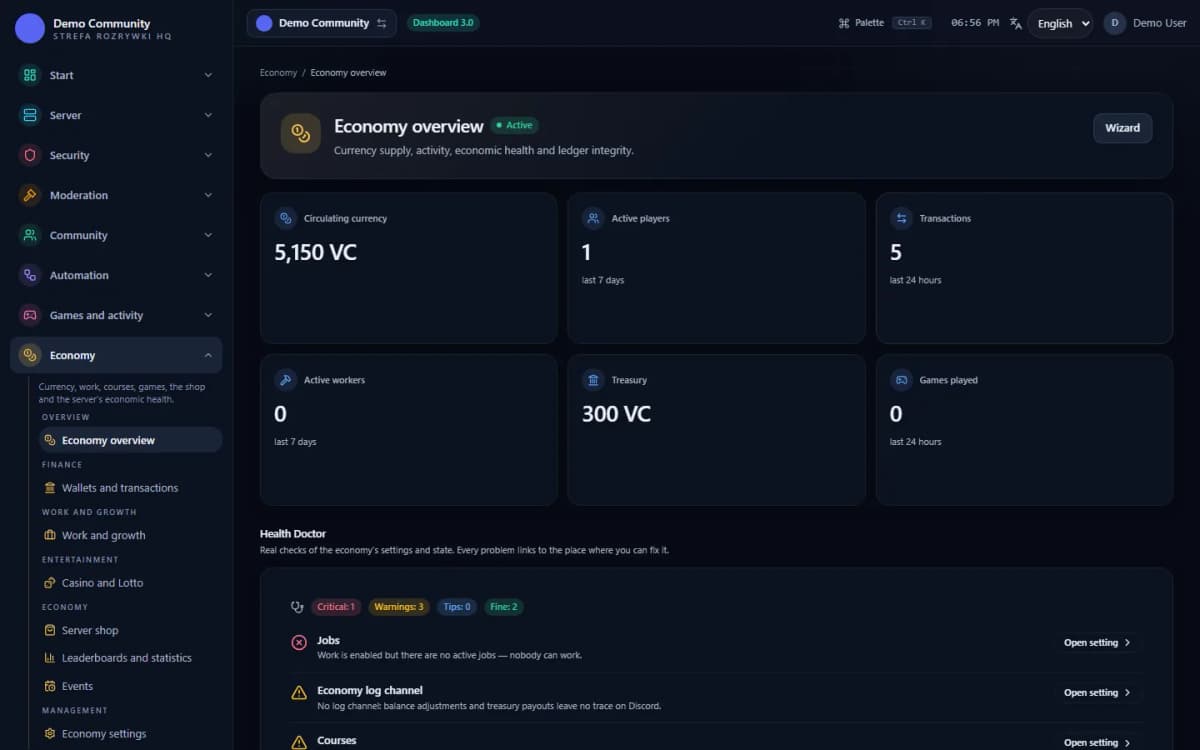 Sample data
Examples
Examples of use on a Discord server
Rewards for completed work and developing qualifications
Spending currency on configured shop offers
An economy built around work with chance games disabled
Limits
What does Discord economy not do?
A virtual economy only
No real-money deposits, withdrawals or currency exchange.
Administrator configuration
Work, shop and game availability depends on server settings. Every feature is not enabled automatically.
Game controls
Games do not guarantee profit; limits and active breaks apply.
Commands
Related commands
Instructions
Step-by-step guides
FAQ
FAQ – common questions
Does the economy start when I add the bot?+
No. An administrator launches it through the economy wizard. The module stays disabled until setup is confirmed.
Do I have to enable chance games?+
No. Run an economy built around work and the shop while leaving casino, Lotto and scratch cards disabled.
Does the currency have monetary value?+
No. It is only for activity within the server and cannot be exchanged for money.
Set up Discord economy in Venon Security
Add the bot to your server, open the panel and configure the module together with its commands, logs and team permissions.